
Giles County VINELink Release Coverage
The current county page names Sheriff Joe Purvis as head of the department operating Giles County Jail. VINE is a notification layer, while that agency owns its source custody event.
Tennessee uses VINELink and VINE as its public custody-status and notification service. The Tennessee Department of Correction joined VINE in 2021, while many participating county jails supply their own custody events. The statewide announcement does not promise every live field for every Giles County record. Search Tennessee, open the individual result, and verify that Giles County Jail or the correct TDOC facility is named as the agency.
Coverage follows the custody source. A Giles County Jail event concerns that local stay. A TDOC event concerns state felony custody or supervision. VINE does not merge those records into one legal history, and it does not show that release from one agency meant freedom from all agencies. A jail release can be followed by transfer to TDOC, another county, or a detainer. The agency and last event must be read together.
The official TDOC announcement describes free notifications by phone, email, TTY, and text, with live support at 888-868-4631 around the clock. The delivery choices shown on a live record can change, so use only the options actually offered during registration.
Search Giles County Inmates on VINELink
Start with the strongest identifier available. An offender number is more precise than a common name. If only a name is known, compare age or birth information and agency details before opening a record. A similar name is not enough, especially when results may come from several Tennessee custodians.
- Open VINELink and select Tennessee as the service location.
- Choose the person or offender search instead of a general resources page.
- Enter the exact last and first name, or use the known offender ID.
- Review possible matches by age or birth details and the listed custody agency.
- Open the correct record and note the status, agency, location, and most recent event or date displayed.
- If the result says released, identify whether the event came from Giles County Jail, TDOC, or another participating facility.
- Return to the agency that supplied the event when an official release record is needed.
Try only documented spelling variations or aliases. Do not choose a result merely because the first and last names look close. For a broader official search path that starts with the correct custody system, use the Giles County released-inmate lookup.
Note: The correct record matches both the person and the agency; a name match alone can point to the wrong custody event.
Tennessee VINELink Search Screen
The official VINELink service begins with state selection and the available person-search workflow. The captured Tennessee screen below shows the service entry point used for a Giles County VINELink release check.
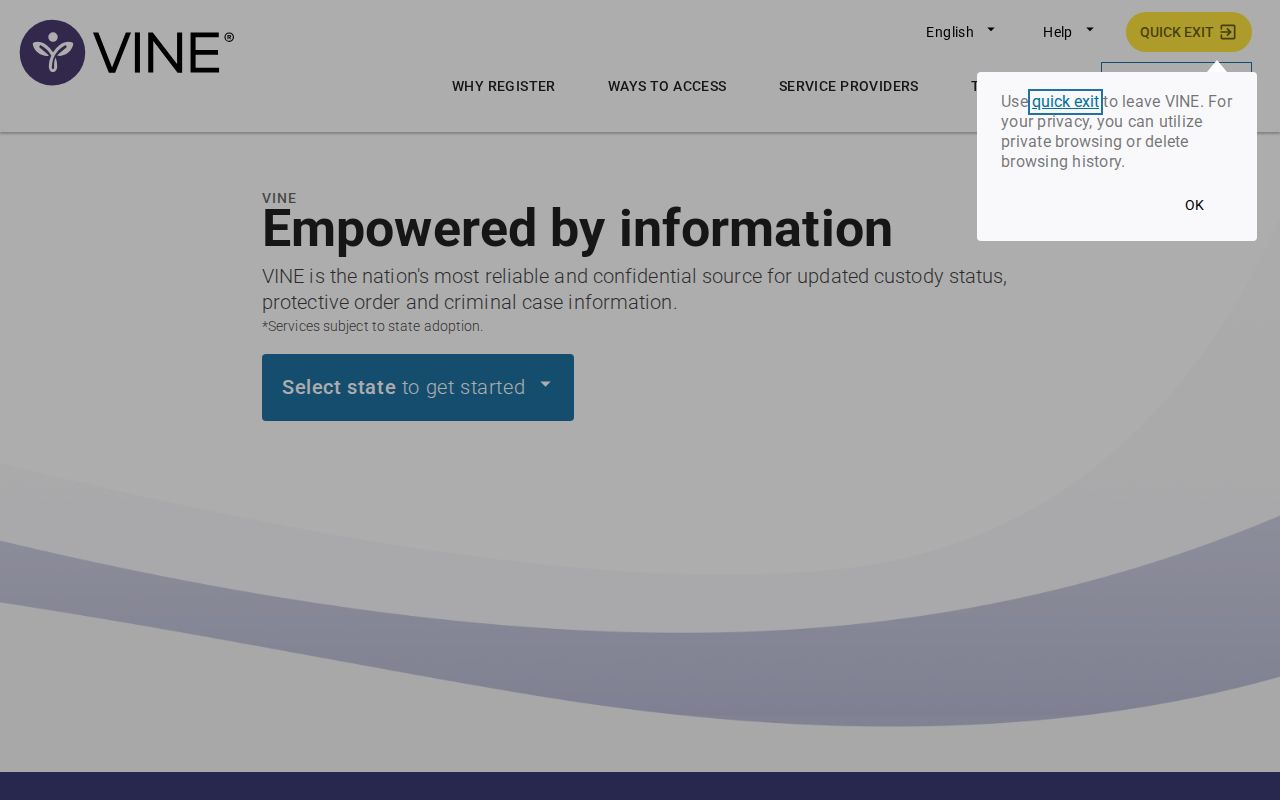
The screen is an access example, not proof about any individual. A usable result appears only after the correct Tennessee person record is selected and its custody agency and event are read.
Giles County VINELink Release Fields
VINE is an event-notification record, not a discharge certificate. Fields vary by participating agency and status. The result may display identity, custody status, location, and event details. Those fields help answer who the record concerns, which agency supplied it, and what change VINE received. They should be compared as a group.
| Field | How to read it |
|---|---|
| Name and identifier | Match the person with an offender ID or other available identity facts. |
| Custody agency | Shows whether the event belongs to Giles County Jail, TDOC, or another participant. |
| Custody status | Reports the status VINE received, which may include released when supplied. |
| Facility or location | Provides the custodial or supervision context available for that record. |
| Event and date | Identifies the latest custody change or date displayed by the service. |
| Notification controls | Shows the event and delivery choices offered for registration. |
A “released” status from Giles County Jail means that Giles custody event ended. It does not prove dismissal, sentence completion, or lack of another hold. A TDOC released or discharged result applies to state custody and may still coexist with community supervision. If the result shows a future sentence-related date, do not relabel it as an actual release.
- Custody event
- A reported change such as booking, transfer, or release.
- Discharge
- The end of a correctional sentence or supervision status as defined by the source agency.
- Detainer
- A request or hold that can lead to custody by another authority.
Register Giles County Release Alerts
Register only from the correct person's record. The live interface controls which custody changes and delivery methods are available. Select the event that fits the need, such as release or a custody change when offered, then complete the verification process for each channel. Registration is most useful before the expected event. VINE may not send a past alert to someone who signs up after it occurred.
- Open the matched person record and select Register or the notification control shown.
- Choose from the custody events offered for that agency and record.
- Add a phone number, text number, email address, or TTY option from the live choices.
- For phone calls, create the requested PIN and retain it for acknowledging the alert.
- For text or email, finish the displayed code, link, or other confirmation step.
- Save the registration confirmation and the VINE support number.
- Update or cancel the registration through the service when contact details or needs change.
The PIN confirms receipt of a phone notification and can stop repeated calls according to the service workflow. It is not an inmate identifier and does not unlock an agency record. Email and text channels likewise require the confirmation that the live screen requests. Without that final step, the registration may not be active.
Note: Save the confirmation after registration, since searching for the person does not by itself enroll any phone, text, or email alert.
Tennessee Release Notice Details
TDOC's written victim-notification policy shows why a VINE alert should be read with care. A formal state notice can distinguish release type and date, sentence expiration, and an intended destination city and state. It also directs people to Tennessee SAVIN when a release occurs by detainer to a county facility. Those distinctions show that “release” can describe movement between authorities rather than a return to the community.
VINELink is the electronic alert layer. The originating agency's release or discharge record is the documentary layer. For a Giles County Jail event, compare the VINE message with the jail's release timestamp and ask for the disposition or receiving agency. For TDOC, compare the alert with FOIL status and request state documentation when the exact legal form of discharge matters.
The notice channels also serve different purposes. A phone alert is useful when prompt awareness matters, while a saved email or text confirmation can preserve the wording delivered by the service. Neither format adds facts that the agency did not supply. Write down the agency, event label, date, and time exactly as shown. Then compare those details with the Giles jail record or TDOC source rather than paraphrasing a transfer as a community release. If an alert conflicts with the source record, preserve both and ask the originating agency to explain or correct the event. VINE support can help with delivery and registration, but the jail or TDOC controls the custody facts.
A delayed alert does not change the official release time. Conversely, an early court order or parole decision does not establish that physical release has happened. Each source records a different step in the process.
Limits of Giles County VINELink
VINE can lag the jail-management or correction system, and participating agencies control the data supplied. The service may omit fields, present different details across records, or fail to show a person whose name was entered incorrectly. No result is a general release certificate. It also does not replace the Giles court docket, which explains bond, dismissal, judgment, probation, or revocation.
| Custody system | Best confirmation source |
|---|---|
| Giles County Jail | Giles portal release field and the sheriff's underlying booking/release record. |
| Tennessee felony custody | TDOC FOIL status plus TDOC records for documentary proof. |
| Federal custody | BOP Inmate Locator, federal court docket, or BOP records. |
| Immigration custody | ICE detainee locator and the official help route when needed. |
VINELink does not track federal BOP custody. A federal result should be sought by register number or name in the BOP source. ICE uses its own locator, primarily for current detention, and an absent ICE result does not prove release. These systems should not be blended with Giles County or TDOC events.
No Giles County VINELink Result
A missing result can have several explanations. The agency may not be shown as expected, the name or identifier may differ, the data may not have reached VINE, or the person may fall under a custody system that VINE does not cover. Search only reasonable documented variations, then switch to the source that fits the case instead of treating nonappearance as proof.
For a recent local booking, use the Giles 24-hour and 72-hour Intake/Release windows, then the archive Released search. Require a release date on the individual entry. If the portal is unavailable or the event is older, call Giles County Jail at 931-363-3505 and request the booking and release record. For a person transferred to state custody, search TDOC FOIL by TDOC number when possible. Court records can identify the order or disposition tied to the booking.
When registration or a notification fails, contact VINE support at 888-868-4631. Supply only what support needs to locate the registration or explain the issue. The official agency still controls correction of its source record, so a Giles jail error goes to the jail and a TDOC record issue goes to the department.
Note: Failure to find a person in VINELink does not establish release, current custody, transfer, or the end of a case.